

Choosing between Microsoft Office 2021 and Microsoft Office 365 (Microsoft 365) in 2025 can feel confusing – especially as both versions offer similar apps but work very differently in terms of pricing, updates, and cloud features.
This guide breaks down the key differences, pros and cons, pricing comparison, and helps you decide which Office version is best for your needs in 2025 – whether you’re a student, home user, business owner, or professional.
1. Overview: Office 2021 vs Office 365
Microsoft Office 2021 (One-Time Purchase)
- Pay once, use forever
- No monthly or yearly fees
- Includes: Word, Excel, PowerPoint, Outlook (Pro Plus), and more depending on version
- Works offline
- No new feature updates (security updates only)
Perfect for users who want classic Office apps without subscriptions.
Microsoft 365 (Subscription)
- Monthly or annual subscription
- Cloud-based features
- Access to latest updates & new features
- 1TB OneDrive cloud storage
- Multi-device support
- AI-powered features (Copilot, smart editing, cloud integrations)
Ideal for users who want cloud access, collaboration tools, and constant updates.
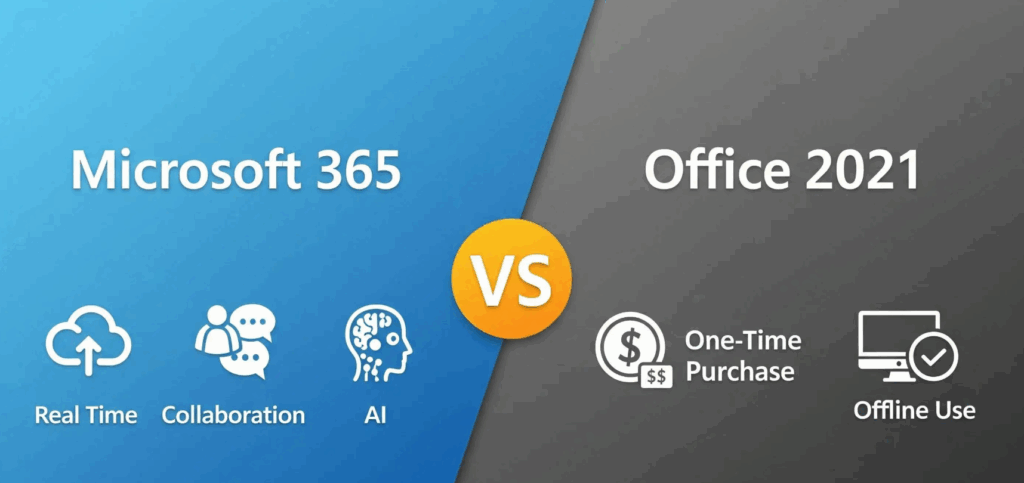
2. Feature Comparison (2025)
Below is a quick comparison of what you get with each:
Office 2021
- One-time payment
- Works fully offline
- No ongoing costs
- Stable version (no UI changes)
- Good for long-term use
- Classic apps only
- Limited collaboration tools
Microsoft 365
- Cloud backup & syncing
- AI tools like Microsoft Copilot
- Teams integration
- Cloud-based Excel/Word collaboration
- Regular new features & updates
- Install on multiple devices
- Best for teamwork/business use
3. Pricing Comparison (2025)
Office 2021 (One-time purchase)
- Pay once
- Keep forever
- No renewal required
- Popular versions:
- Office 2021 Home & Student
- Office 2021 Home & Business
- Office 2021 Professional Plus
Ideal for long-term cost savings.
Microsoft 365 (Annual or Monthly)
- Personal: Paid yearly/monthly
- Family: Up to 6 people
- Business versions available
Cost-effective ONLY if you need cloud storage + constant updates.
4. Which One Should You Choose in 2025?
Choose Office 2021 if you:
- Hate subscription fees
- Want lifetime access
- Use apps offline
- Don’t need cloud collaboration
- Want a stable version that doesn’t change every month
- Want the best value deal (especially purchasing from affordable stores)
Choose Microsoft 365 if you:
- Need cloud syncing & 1TB OneDrive
- Use multiple devices
- Work with teams or clients
- Want AI features & constant updates
- Need advanced collaboration tools
- Want Microsoft Teams included
5. Pros and Cons Summary
Office 2021 Pros
- One-time payment
- Lifetime license
- Offline use
- Lower long-term cost
- No subscription pressure
Office 2021 Cons
- No new features
- No cloud storage
- No Teams
- Limited collaboration
Microsoft 365 Pros
- Constant updates
- Collaboration & cloud tools
- AI features
- Multi-device access
- 1TB OneDrive cloud storage
Microsoft 365 Cons
- Ongoing cost
- Changes frequently
- More expensive long-term
FAQs: Office 2021 vs Office 365
1. Is Office 2021 still worth buying in 2025?
Yes – especially if you prefer a one-time payment and don’t need cloud features.
2. Does Office 2021 expire?
No. It’s a lifetime license.
3. Can I upgrade Office 2021 to Office 365 later?
Yes, anytime – but they are separate products.
4. Is Microsoft 365 better for businesses?
Absolutely – cloud tools, collaboration, and Teams make it ideal for business users.
5. Does Office 2021 receive updates?
Only security updates. No new features or design updates.
Get a genuine Microsoft Office 2021 Pro Plus key at an unbeatable price and enjoy lifetime access to the essential productivity tools your PC needs.
Windows Server - Installation & Activation

Visual Studio 2017 / 2019 - Installation & Activation
Office Home & Business 2016 / 2019 / 2021 – Installation & Activation

Office 2019 / 2021 Home & Student – Installation & Activation
Microsoft Visio 2016 / 2019 / 2021 - Installation & Activation
Microsoft Project 2016 / 2019 / 2021 - Installation & Activation
Office 2016 Professional Plus - Installation & Activation Guide
Office 2019 Professional Plus - Installation & Activation Guide
Windows 10 - Installation & Activation Guide
Windows 11 - Installation & Activation Guide

